Manage Residents
How to use the Residents page in My Properties as a property manager. Sync individual residents or units, send personal messages, block Wi-Fi because of unpaid rent, resend Wi-Fi passwords, view information about residents and units, and view residents in units.
Manage Residents
The Residents page shows you the status (if Wi-Fi access is active or blocked) of each resident, as well as their first and last name and the unit and bedroom they live in.
Resident Actions
Perform various actions with each resident. Click the icon in the Actions column to access these actions.
Choose multiple residents at once and click Bulk Operations to perform any of these actions on a group of residents.
You can also sync all residents at once on the Entrata page of My Properties.
Sync Resident
Syncing with Entrata runs across your property every 30 minutes, but you can also trigger it manually for a particular resident. Click Sync Resident to sync information about the resident from Entrata manually. This will:
- Get their current lease status and move out or transfer the resident if needed
- Sync the resident’s information like email address, phone number, and bedroom name
- Give/remove Wi-Fi access as needed
This will not:
- Sync the user when the user has moved to another property
Send Personal Message
Click Send Personal Message to write an email to a resident from Pavlov Media (no reply). Choose additional recipients if desired. Recipients cannot view each other’s email addresses. Give the email a subject and body and choose the date you wish it to be sent. Click Submit to send or schedule the email.
Send Rent Block
One of the features Pavlov Media offers is the ability to temporarily block residents’ Wi-Fi access if you notice that their rent is late.
Click Send Rent Block to write an email to a resident from Pavlov Media (no reply) and block their Wi-Fi access.
Give the email a subject, optionally edit the suggested body, and choose the date you wish it to be sent. Click Submit to send or schedule the email and block access. Note that rent blocks are not finalized until 30 minutes after sending the email.
Resend Wi-Fi Password
Click Resend Wi-Fi Password to resend the resident an email (and SMS, if enabled) containing their Wi-Fi SSID and PSK (personal password). This is helpful if the resident has trouble finding the original email or text.
Manage Units
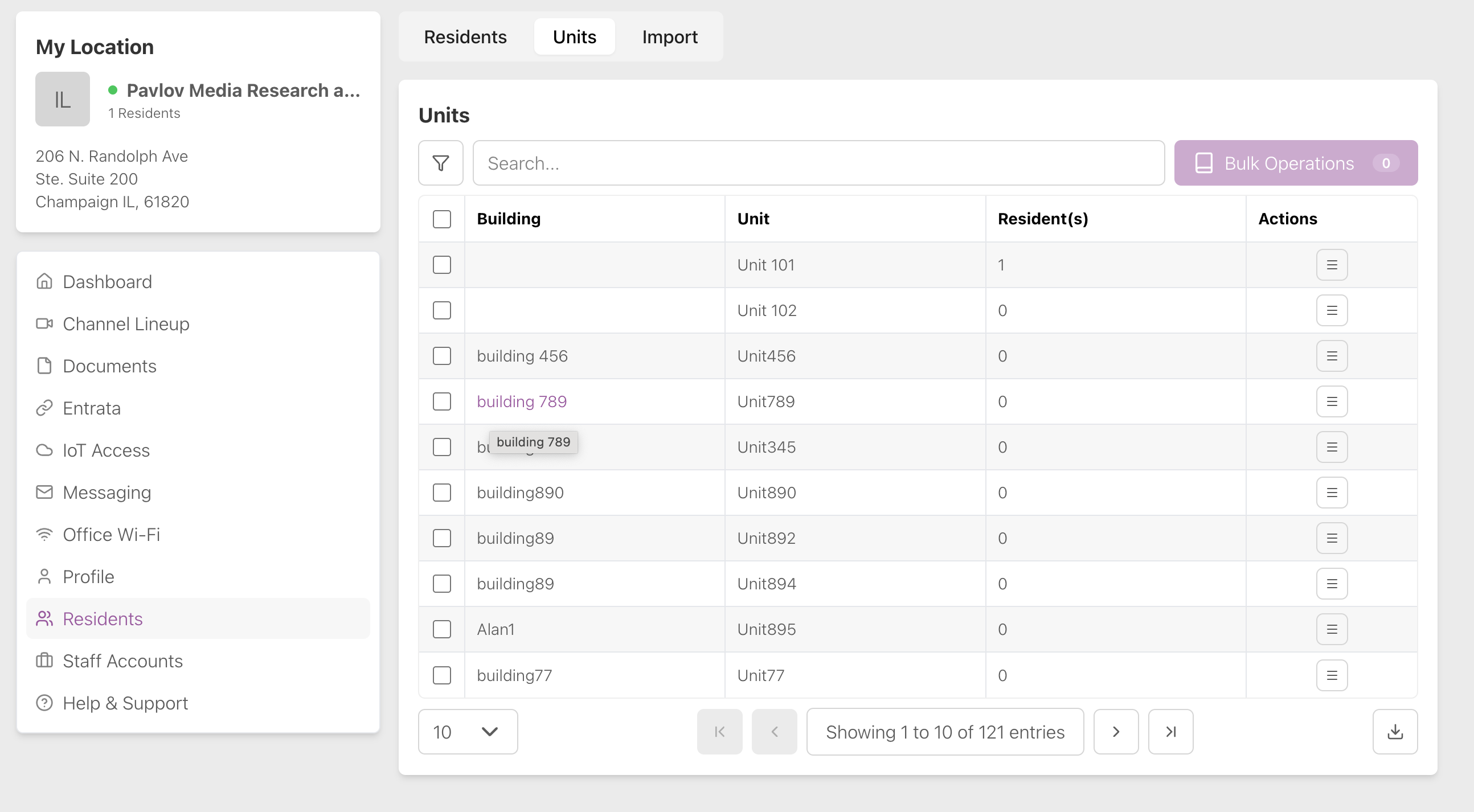
Toggle the Residents page to Units to view information about the units in your property, such as building number, unit number, number of bedrooms, and number of residents.
Unit Actions
You can perform various actions with each unit. Click the icon in the Actions column to access these actions.
Sync Unit
Syncing with Entrata runs across your property every 30 minutes, but you can also trigger it manually for a particular unit. Click Sync Unit to sync information about the residents in the unit from Entrata manually. This will:
- Sync the lease status of each resident in the unit
- Status is shown by the light (green = successful, SKIP = no changes)
- Sync the resident’s information like name, email, phone number, and bedroom name
- Give/remove Wi-Fi access as needed
This will not:
- Sync the resident when the resident has moved to another property
Send Personal Message to Residents of a Unit
Click Send Personal Message to write an email to the residents in a unit from Pavlov Media (no reply). Choose additional recipients if desired. Recipients cannot view each other’s email addresses. Give the email a subject and body and choose the date you wish it to be sent. Click Submit to send or schedule the email.
View Residents
Click View Residents to view the enrollment status, name, and bedroom name of each resident in a unit.
Resend Wi-Fi Message to Residents of a Unit
Click Resend Wi-Fi Password and confirm to resend the residents of a unit an email (and SMS, if enabled) containing their Wi-Fi SSID and PSK (personal password). This is helpful if the residents have trouble finding the original email or text.