Configure Sync Timing
How to use the Entrata page in My Properties to sync all residents on demand, set early move-in and late move-out Wi-Fi access policies, and manage upcoming leases.
Resident Sync
Pavlov syncs with Entrata across each of your properties every 30 minutes, but you can also trigger it manually.
Click Sync Residents to pull the lease status of each resident manually and sync with the Pavlov system to perform the appropriate actions.
Early Move-Ins/Late Move-Outs
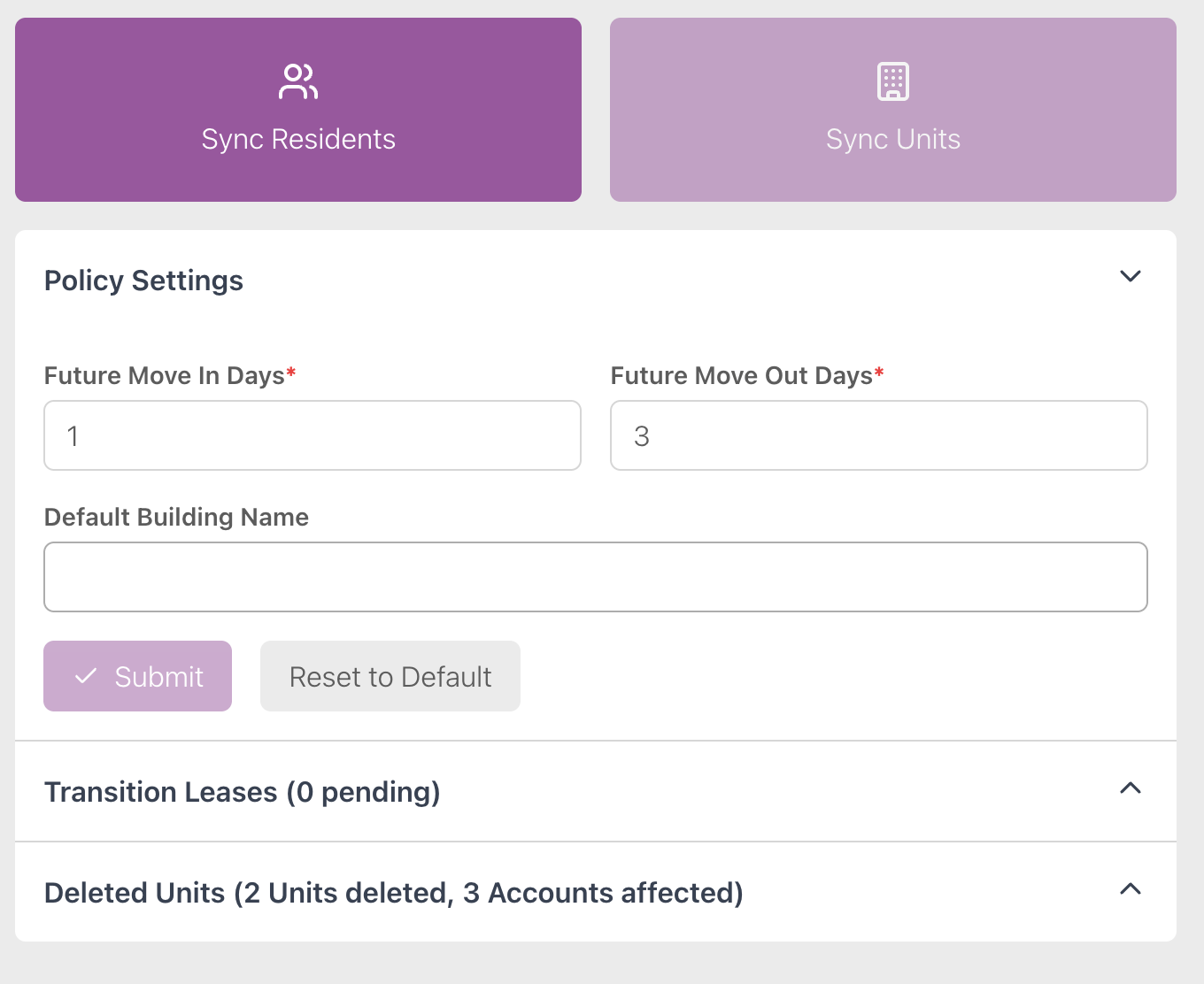
Expand the Policy Settings option on the Entrata page to set global early move-ins (give Wi-Fi access a number of days before the move occurs) or late move-outs (remove Wi-Fi access a number of days after the move occurs).
Set and submit Future Move In Days for early move-ins and Future Move Out Days for late move-outs.
Click Reset to Default to set these policies to what you initially told Pavlov Media.
Upcoming Leases
This section displays upcoming changes to leases, such as move-ins, move-outs, and transfers.
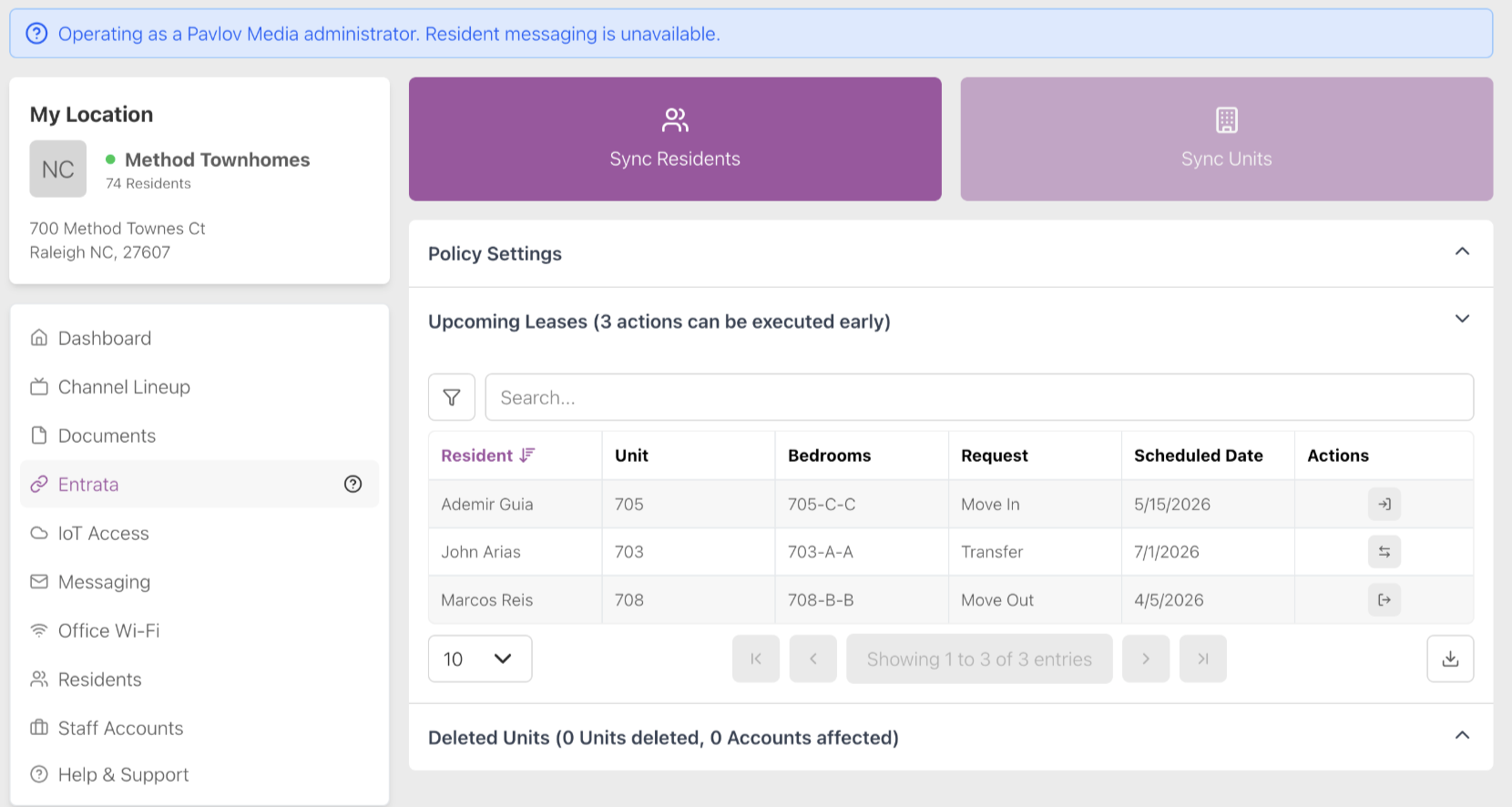
Expand the Upcoming Leases section on the Entrata page of My Properties to view lease changes that can executed early. You may need to refresh the page after syncing the residents. This table shows information about the lease like the resident’s name, unit and bedroom numbers, and type of request. Click the icon in Actions and confirm to execute the lease change early. For example, you can instantly transfer the resident.
Deleted Units
Expand the deleted table to see units that have been deleted in Entrata and sync them to Pebbles (the Pavlov system).