Wi-Fi Password
Use the information on the Wi-Fi password page of My Account to access the internet.
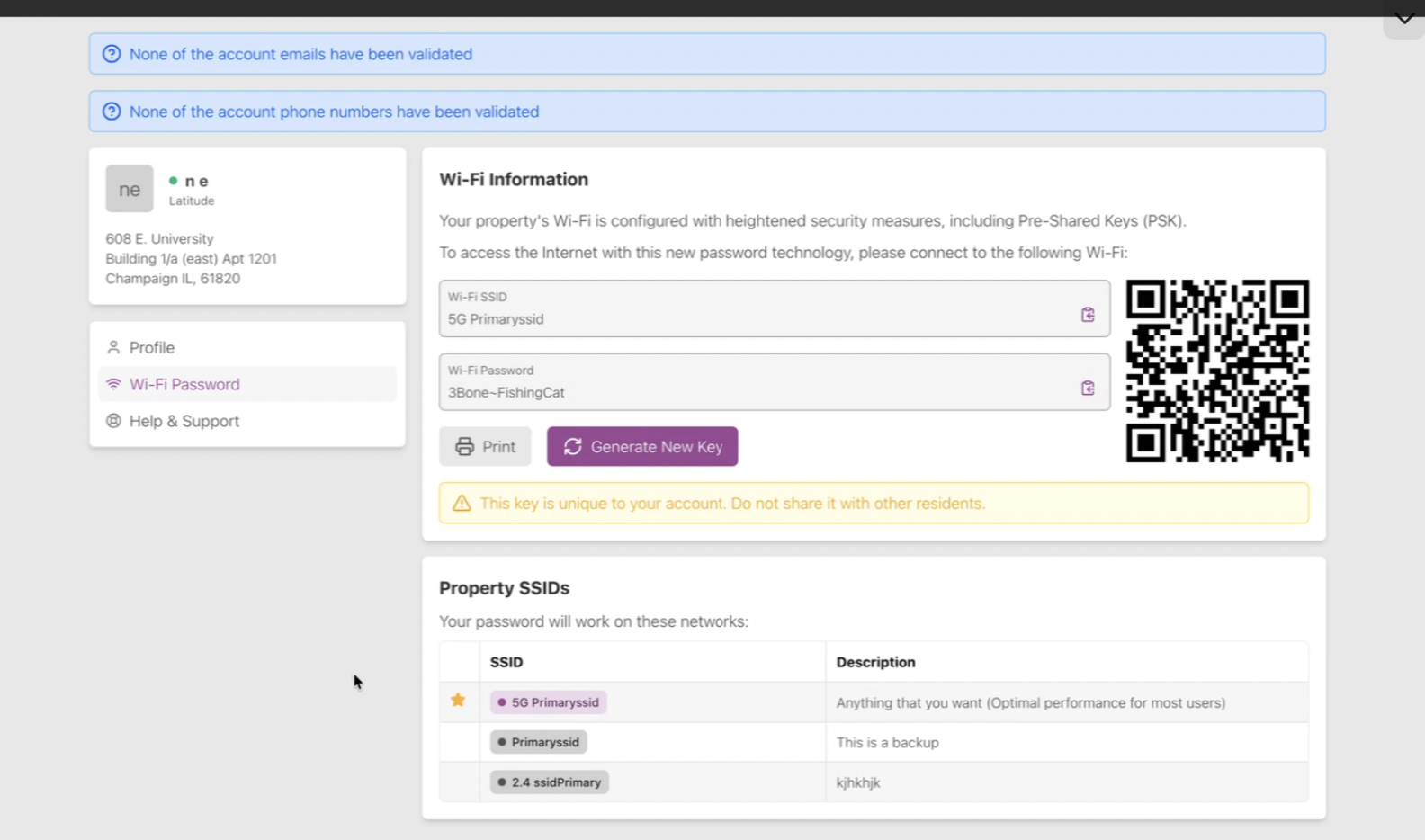
Select the Wi-Fi SSID (network name) from the list of networks on your device’s network settings page and enter the Wi-Fi password (PSK).
Click Print to print this out for reference. Scan the QR code to quickly access the Wi-Fi.
Click Generate New Key to change your Wi-Fi password (PSK). This key is unique to your account and should not be shared with other residents.
Property SSIDs
Multiple Wi-Fi networks may be available at your residence. The Property SSIDs table shows the SSID (name) and description of each Wi-Fi network.
Tip
The primary SSID is starred.
Connect to this network for the best performance on most devices.