Property Staff Authorization Guide
What you can interact with in My Properties if you have an owner, manager, or employee role.
Dashboard
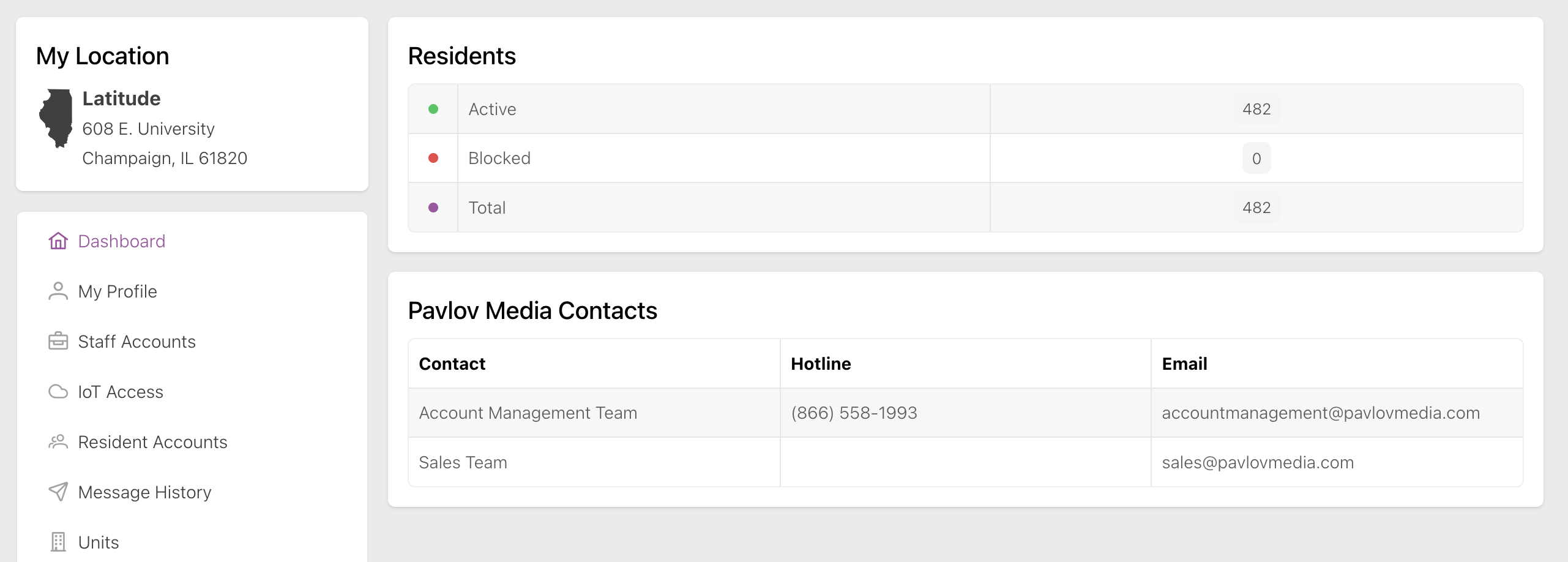
Staff members of all roles can see everything possible on the Dashboard page, including the number of residents and Pavlov Media contact info, as shown below:
For more information, see Dashboard.
Channel Lineup
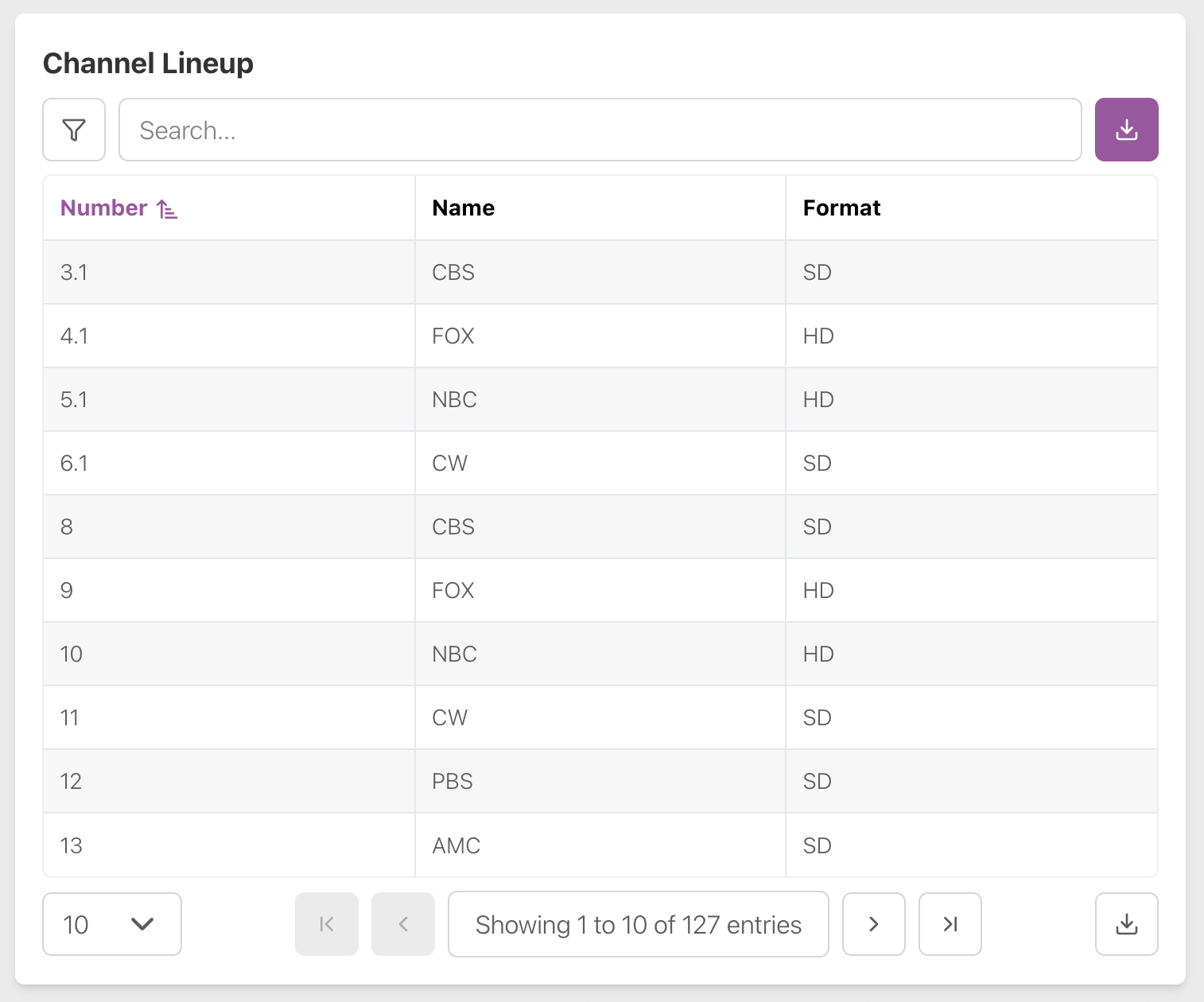
Staff members of all roles can see everything possible on the Channel Lineup page, including the channel lineup table, as shown below:
For more information, see Channel Lineup.
Data Services
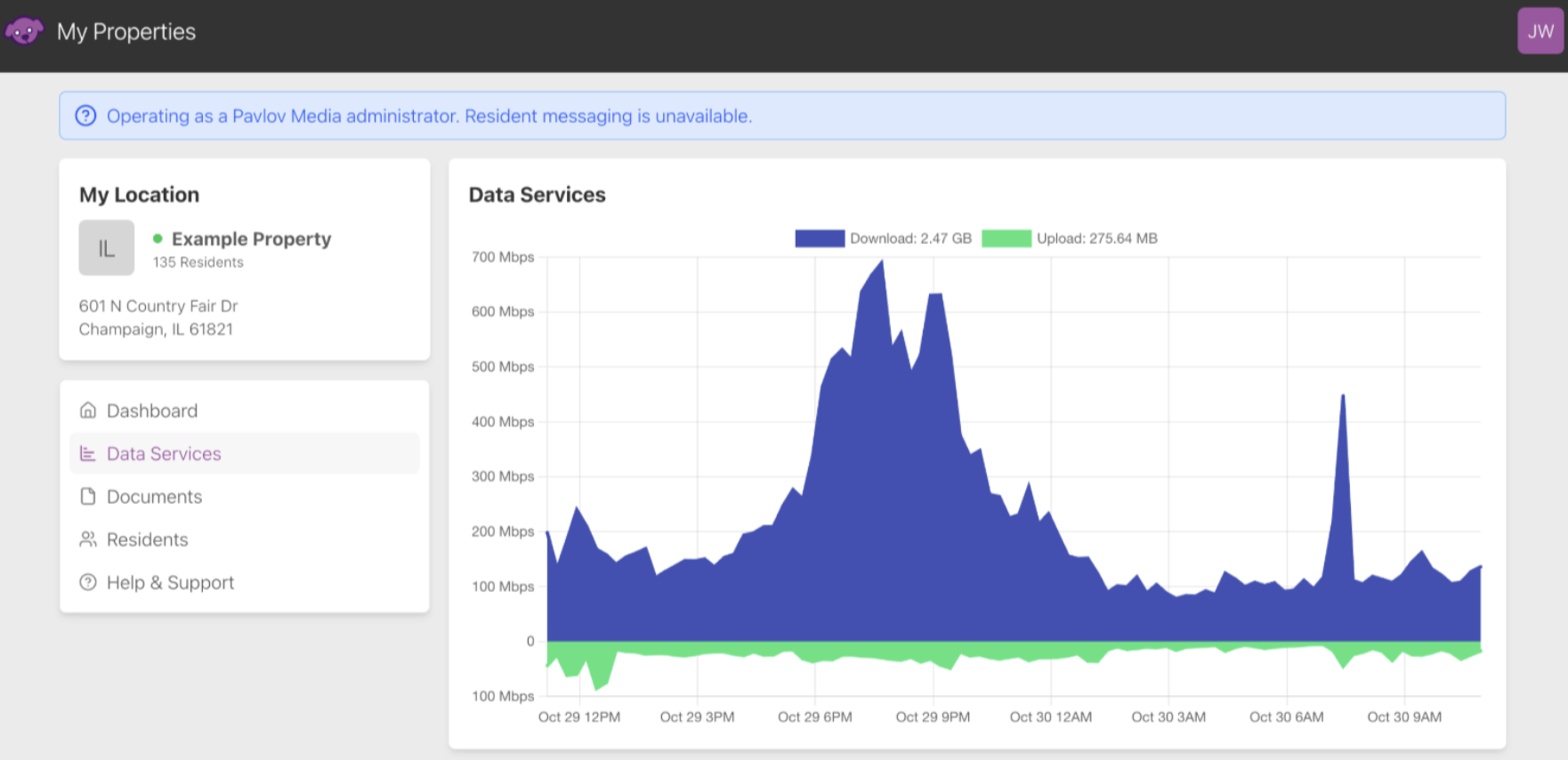
Staff members of all roles can see everything possible on the Data Services page, including view bandwidth graphing data, as shown below:
For more information, see Data Services.
Documents
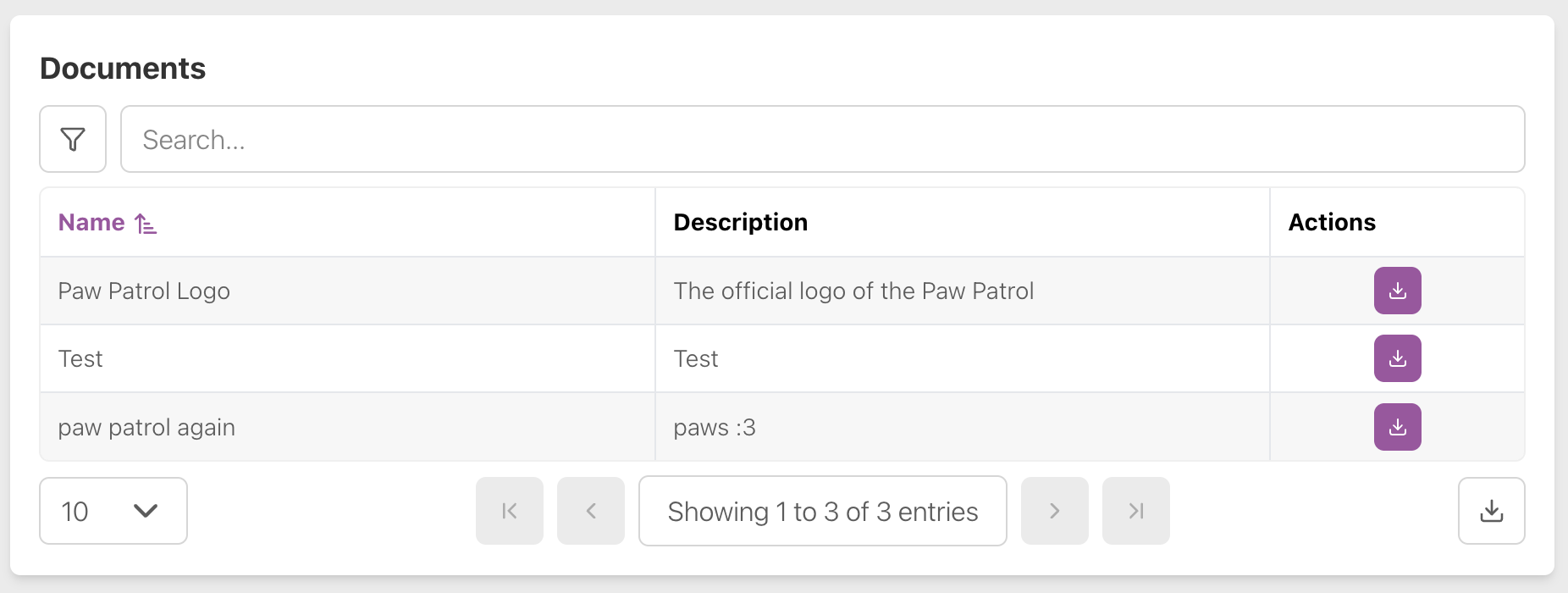
Staff members of all roles can see everything possible on the Documents page, including see the documents available and download these documents, as shown below:
For more information, see Documents.
Entrata
Staff members of all roles can see everything possible on the Entrata page, including syncing all residents on demand, setting early move-in and late move-out Wi-Fi access policies, and managing transition leases.
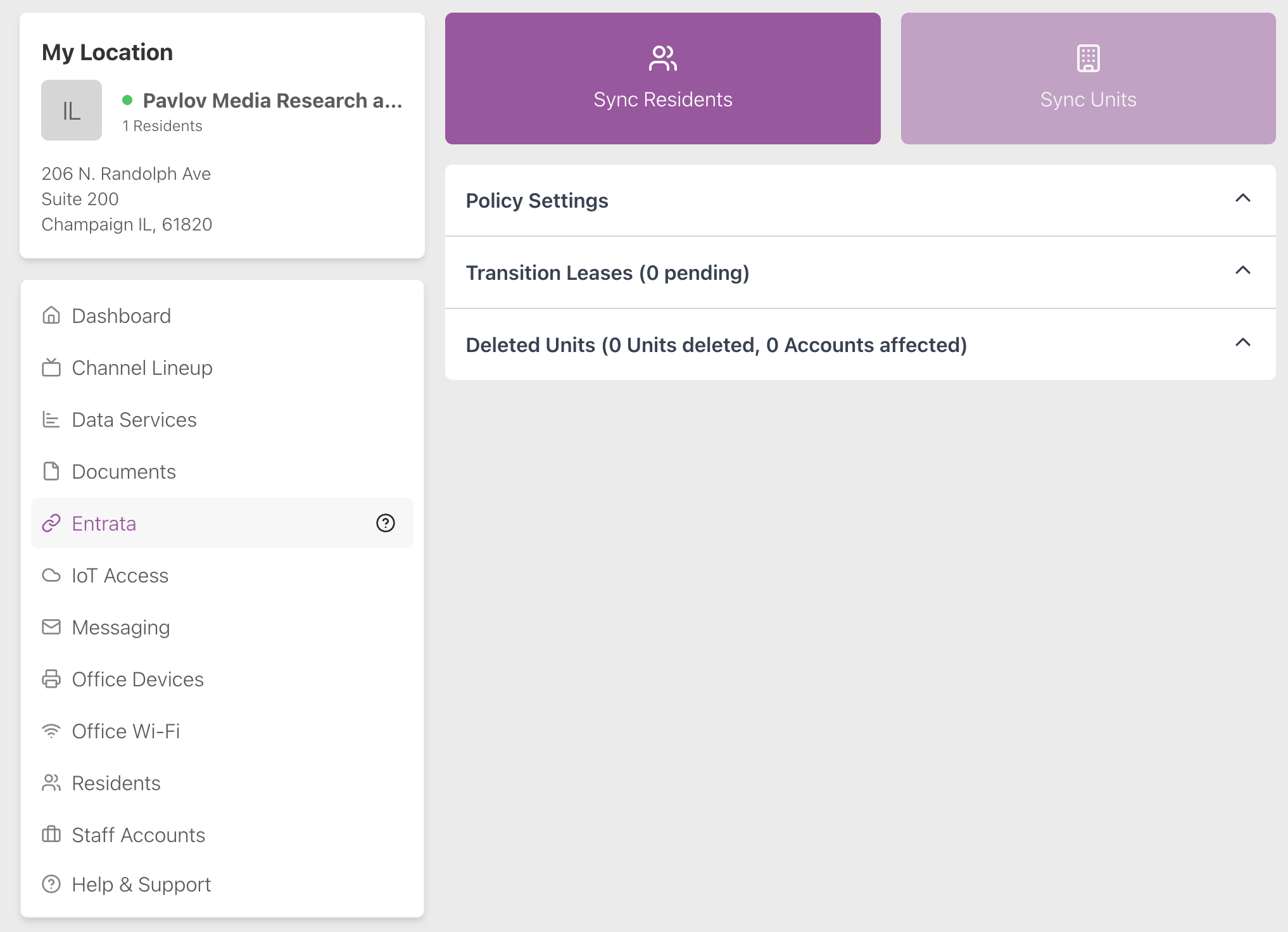
For more information, see Entrata.
IoT Access
Staff members of all roles can do everything possible on the IoT Access page, including view smart devices and the Wireless Access Point IDF—the Wi-Fi password you use to connect all the devices—and view and enable technician access, as shown below:
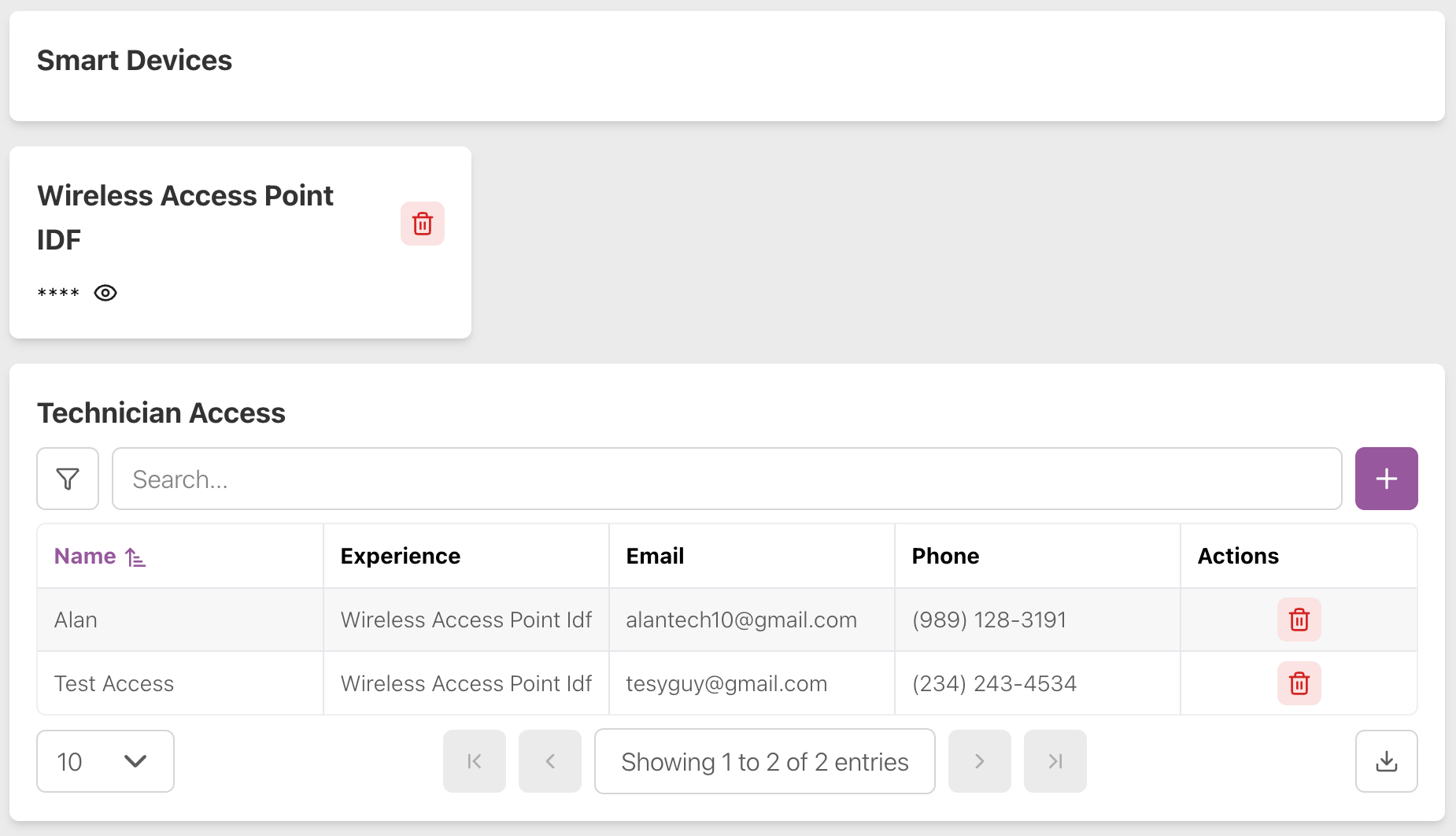
For more information, see IoT Access.
Message History
Staff members of all roles can do everything possible on the Message History page, including viewing the history of messages they have sent to residents, sending personal messages to residents, blasting messages to all the residents of the property, or rent blocking a resident.
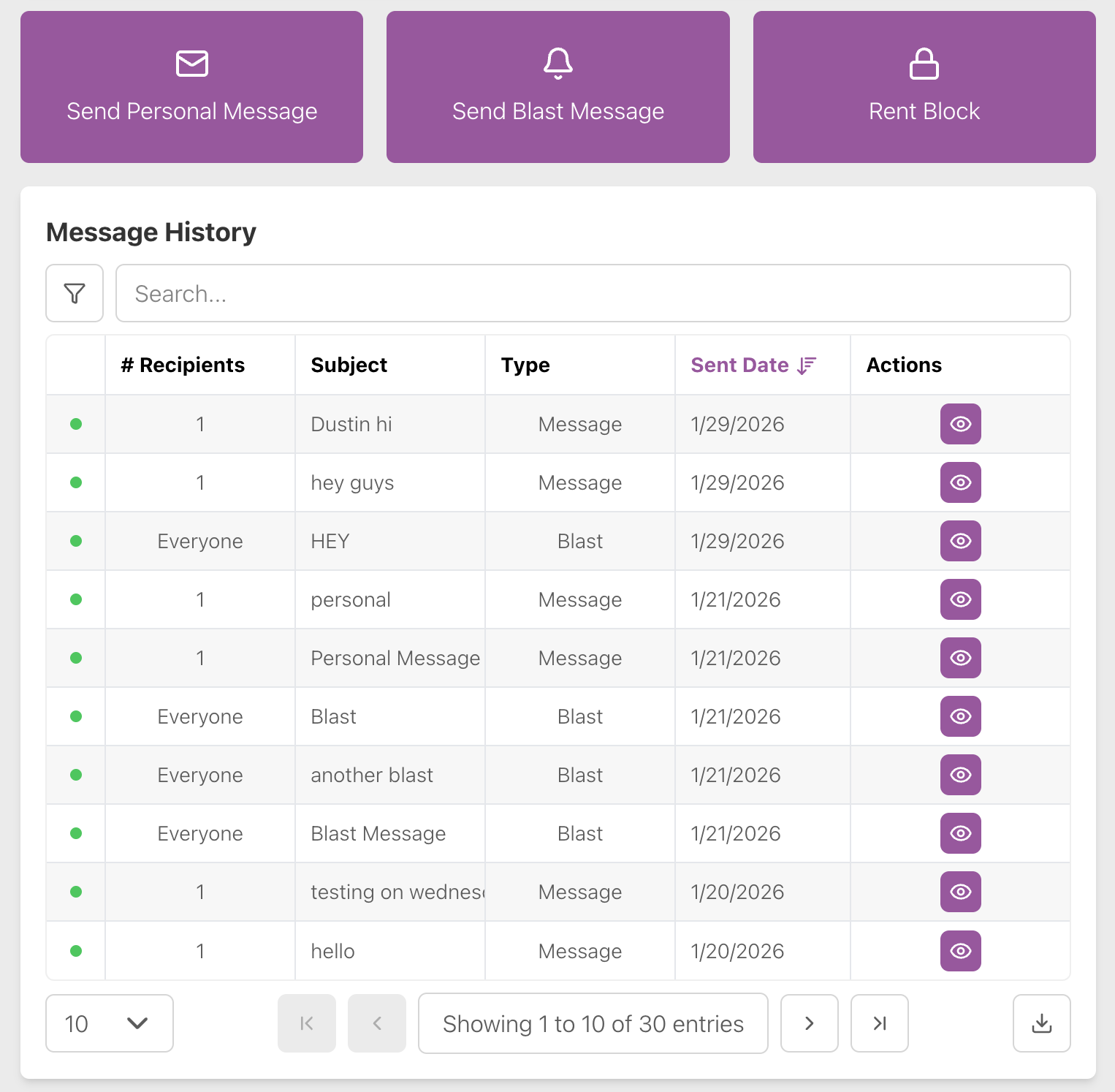
For more information, see Message History.
Office Devices
Staff members of all roles can do everything possible on the Office Devices page, including viewing, adding or deleting office devices.
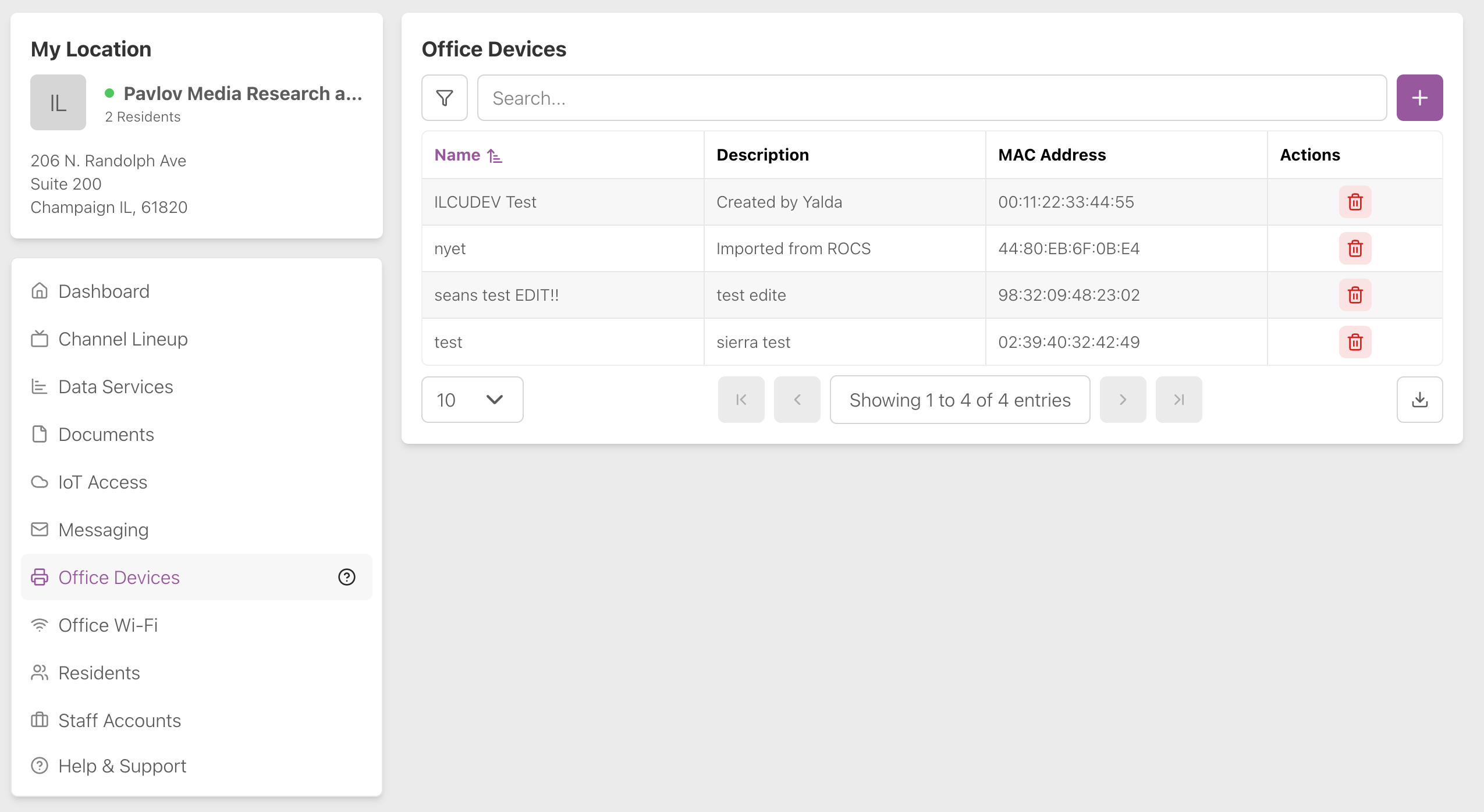
For more information, see Office Devices.
Office Wi-Fi
The features shown on the Office Wi-Fi page depend on the staff member’s role.
Office Wi-Fi: Owner
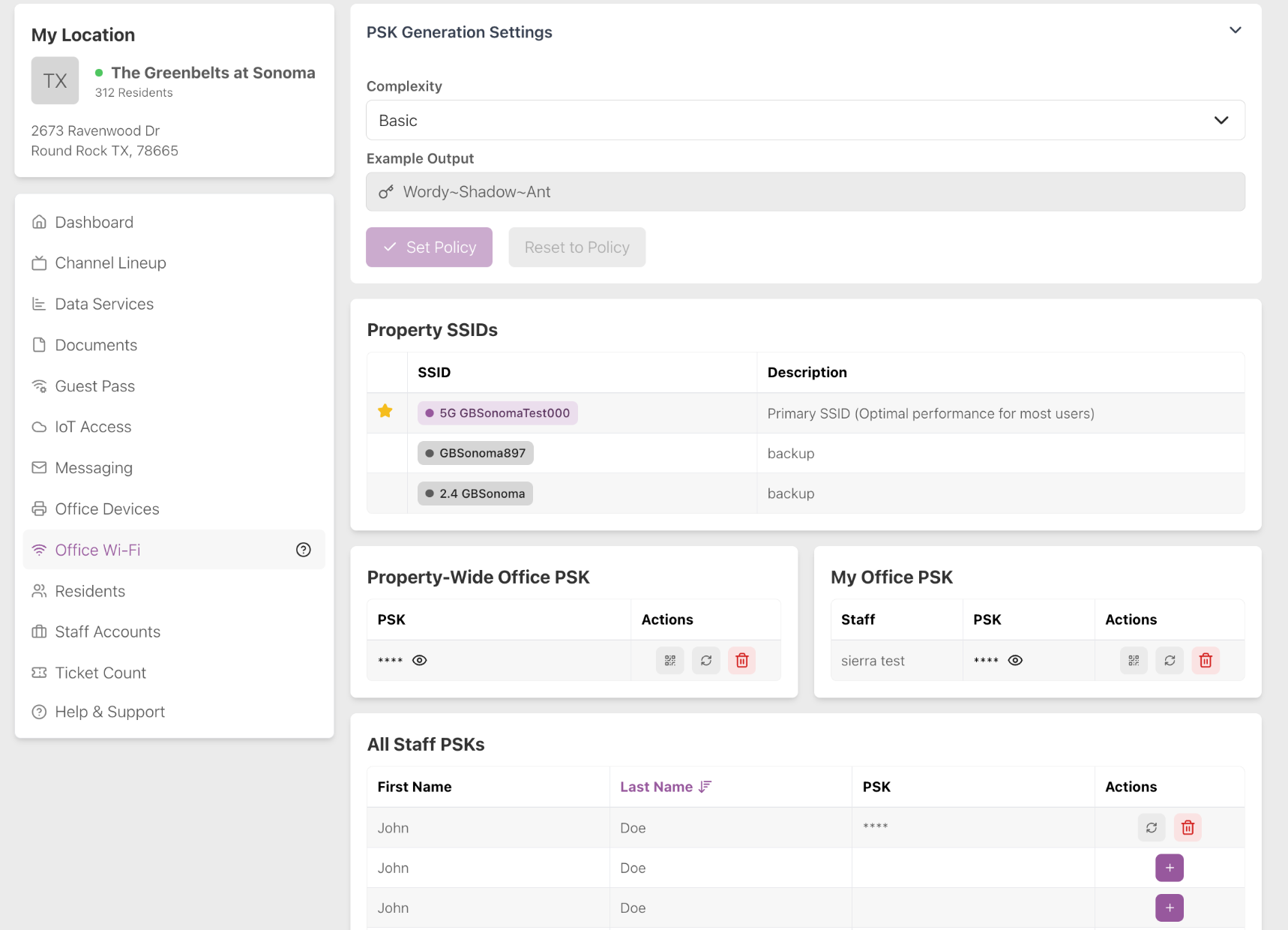
The owner of a property can see the property Wi-Fi network SSIDs (network name), edit the PSK Generation Settings and see and create their Office PSK (password), the Property-Wide Office PSK and All Staff PSKs. Note that a PSK is the same thing as a Wi-Fi password.
Office Wi-Fi: Manager
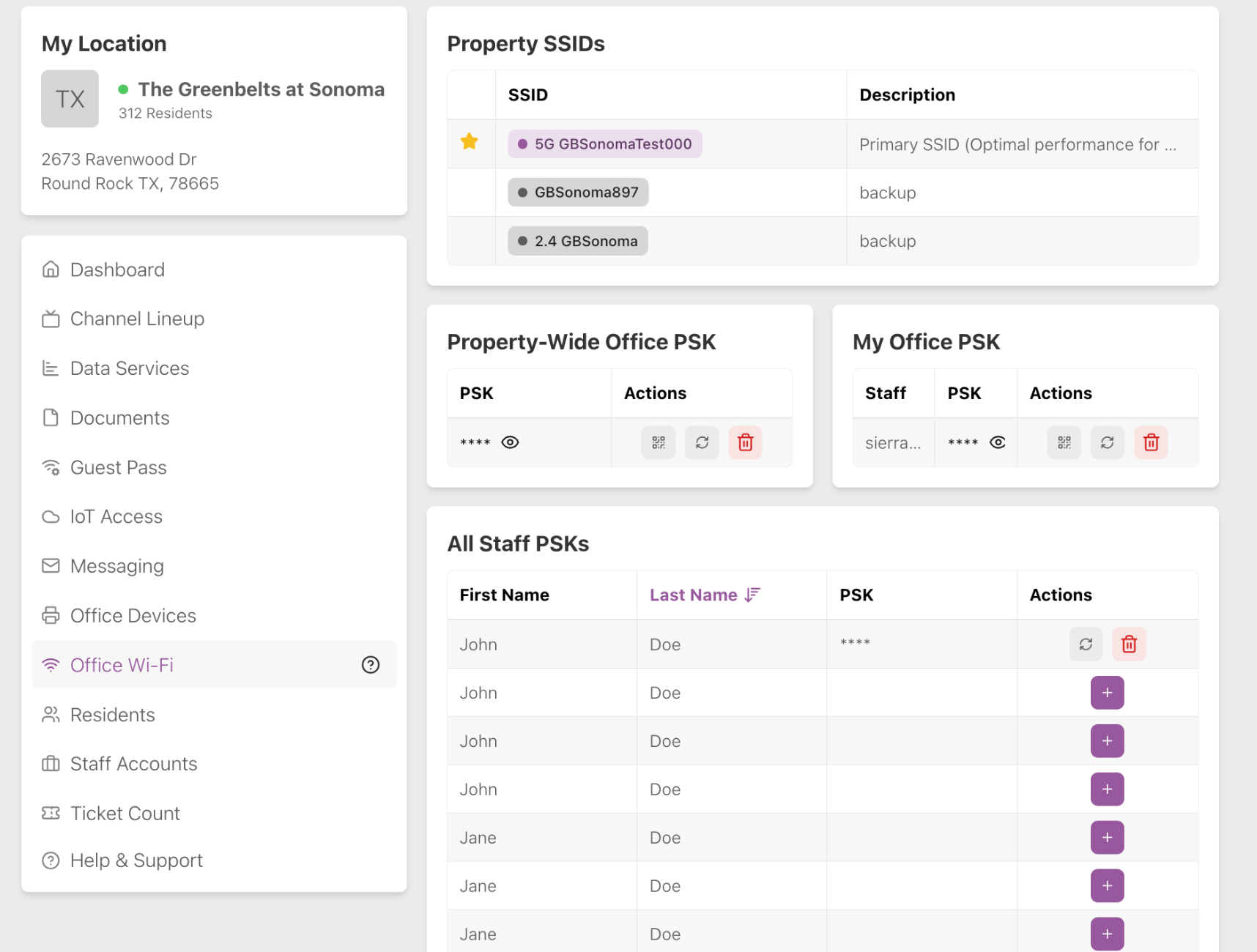
The manager of a property can see the property Wi-Fi network SSIDs (network name) and see and create their Office PSK (password), the Property-Wide Office PSK and All Staff PSKs.
Office Wi-Fi: Employee
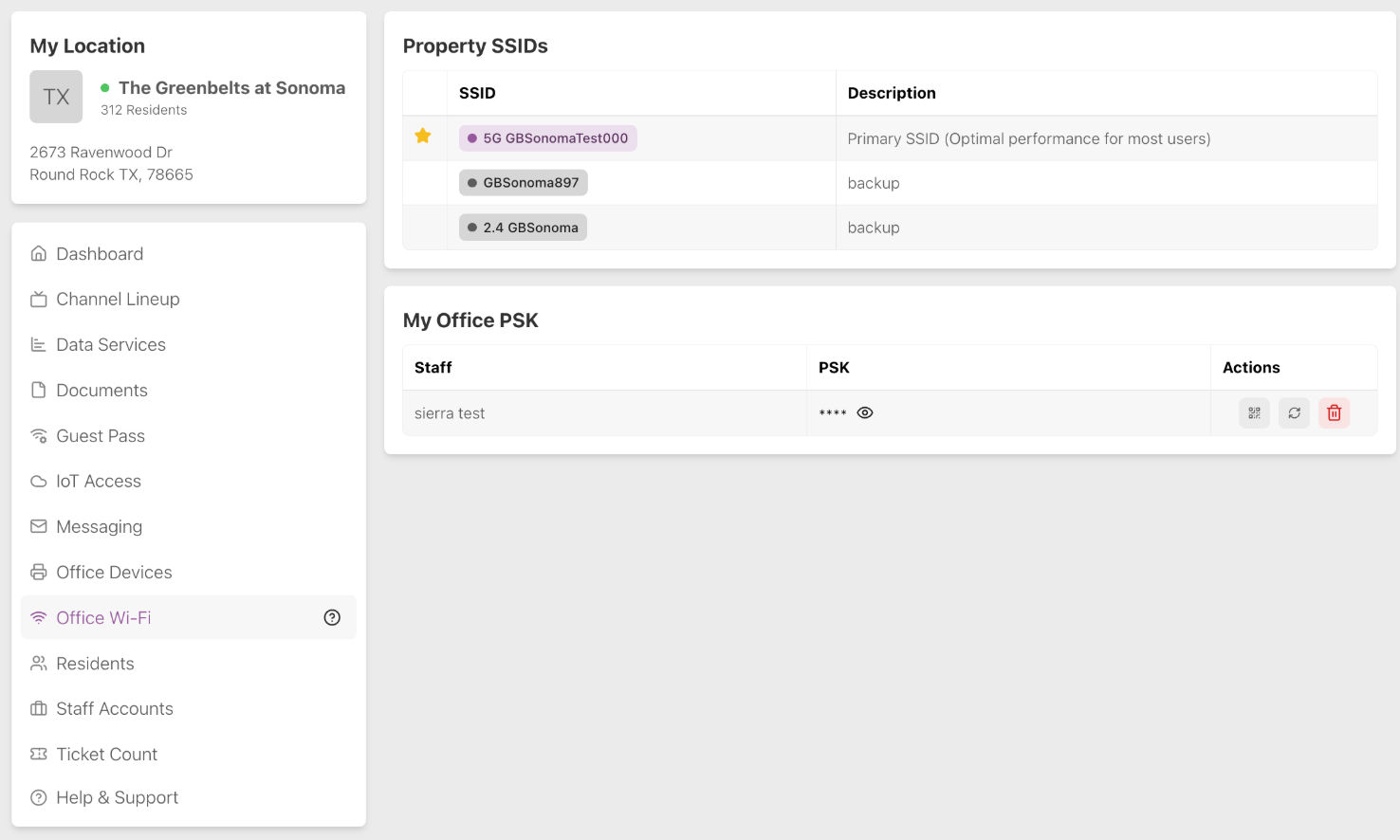
An employee of a property can only see their Office PSK (password).
For more information, see Office Wi-Fi.
Residents
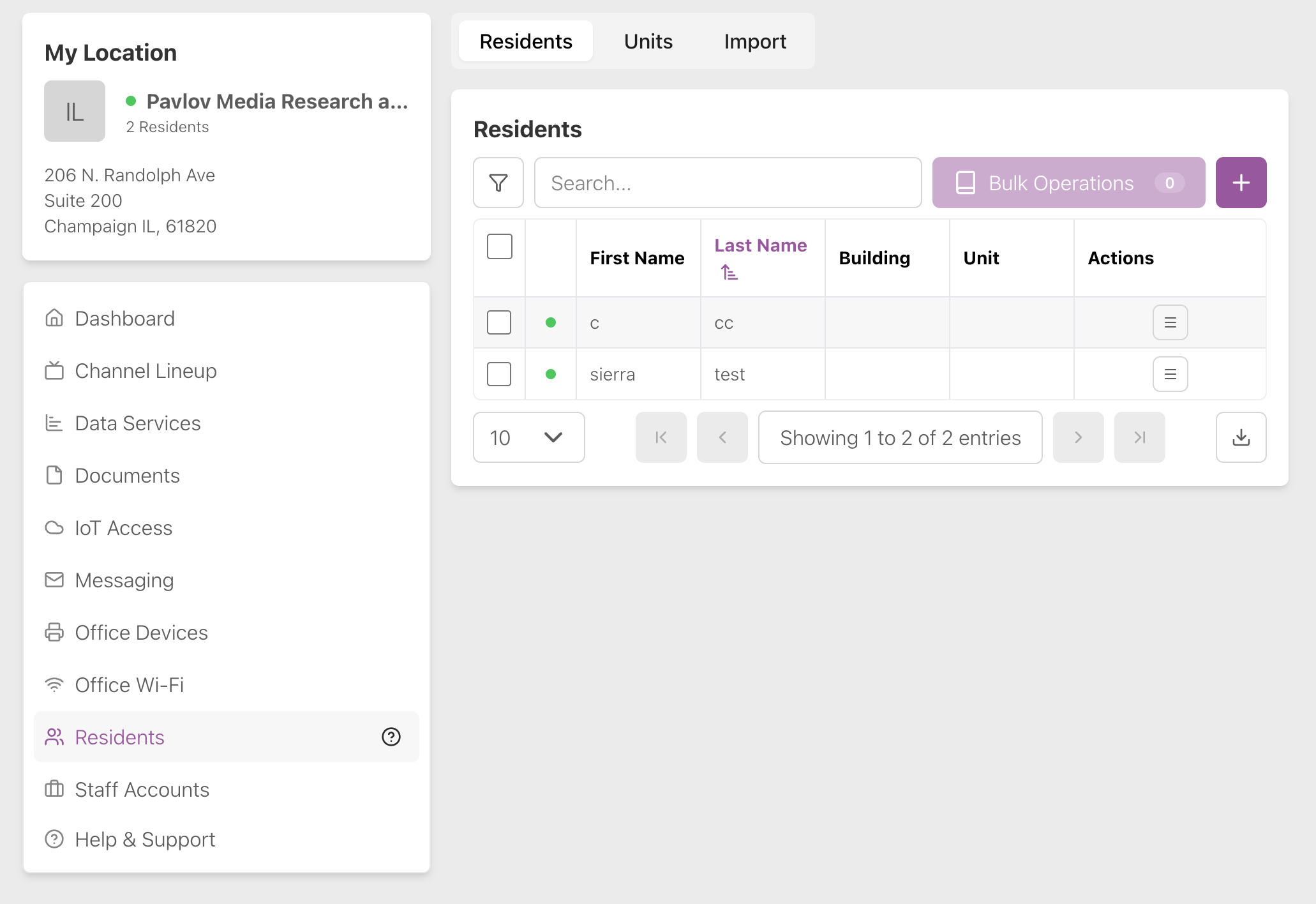
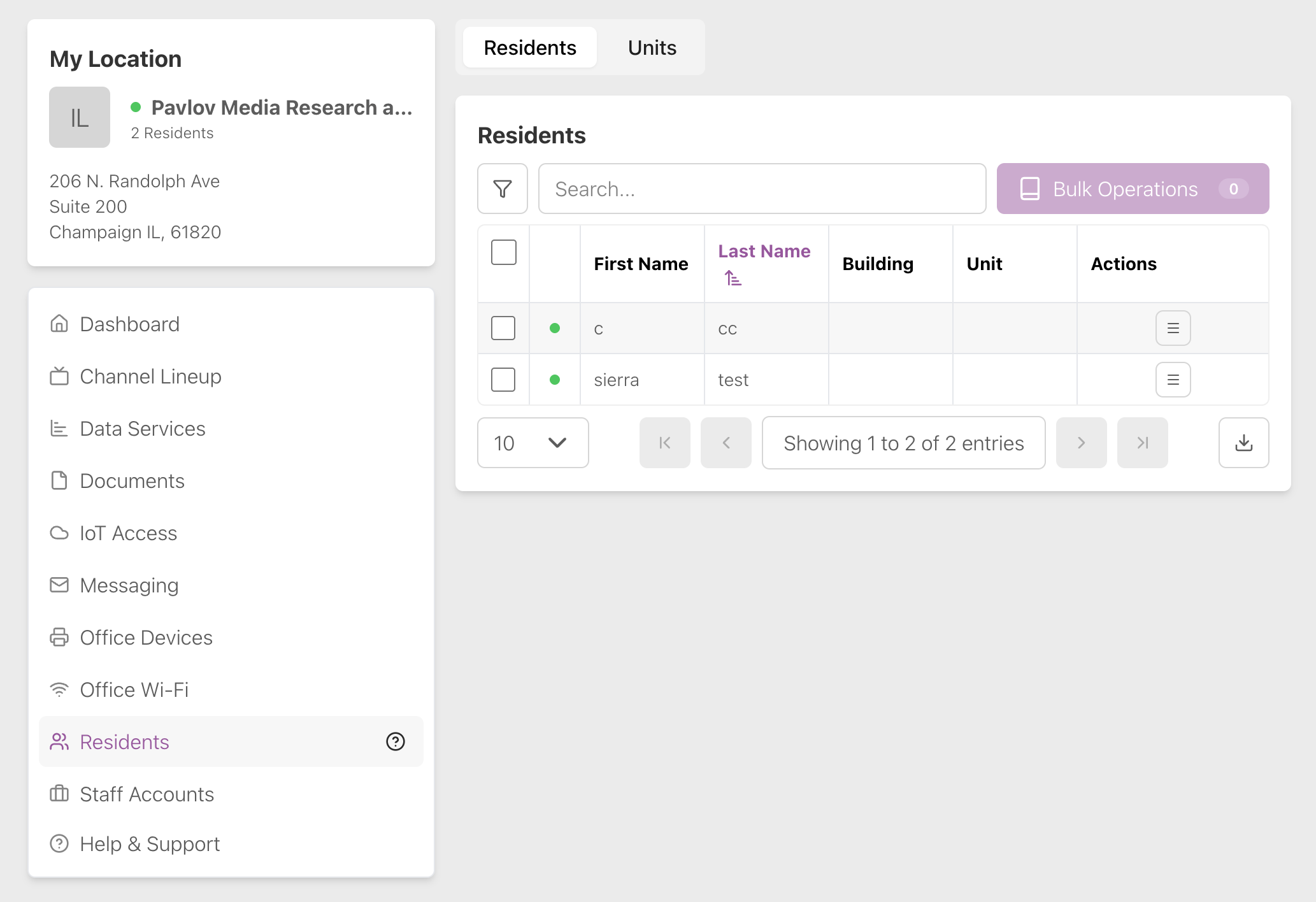
Staff members of all roles can do everything possible on the Residents page, including viewing info about residents and the units where they live, sending rent blocks, moving out residents, and for property-managed properties, re-sending Wi-Fi passwords and adding new residents manually or through CSV import.
Property-Managed Residents Page:
Self-Serve Residents Page:
For more information, see Residents.
Staff Accounts
The features shown on the Staff Accounts page depend on the staff member’s role.
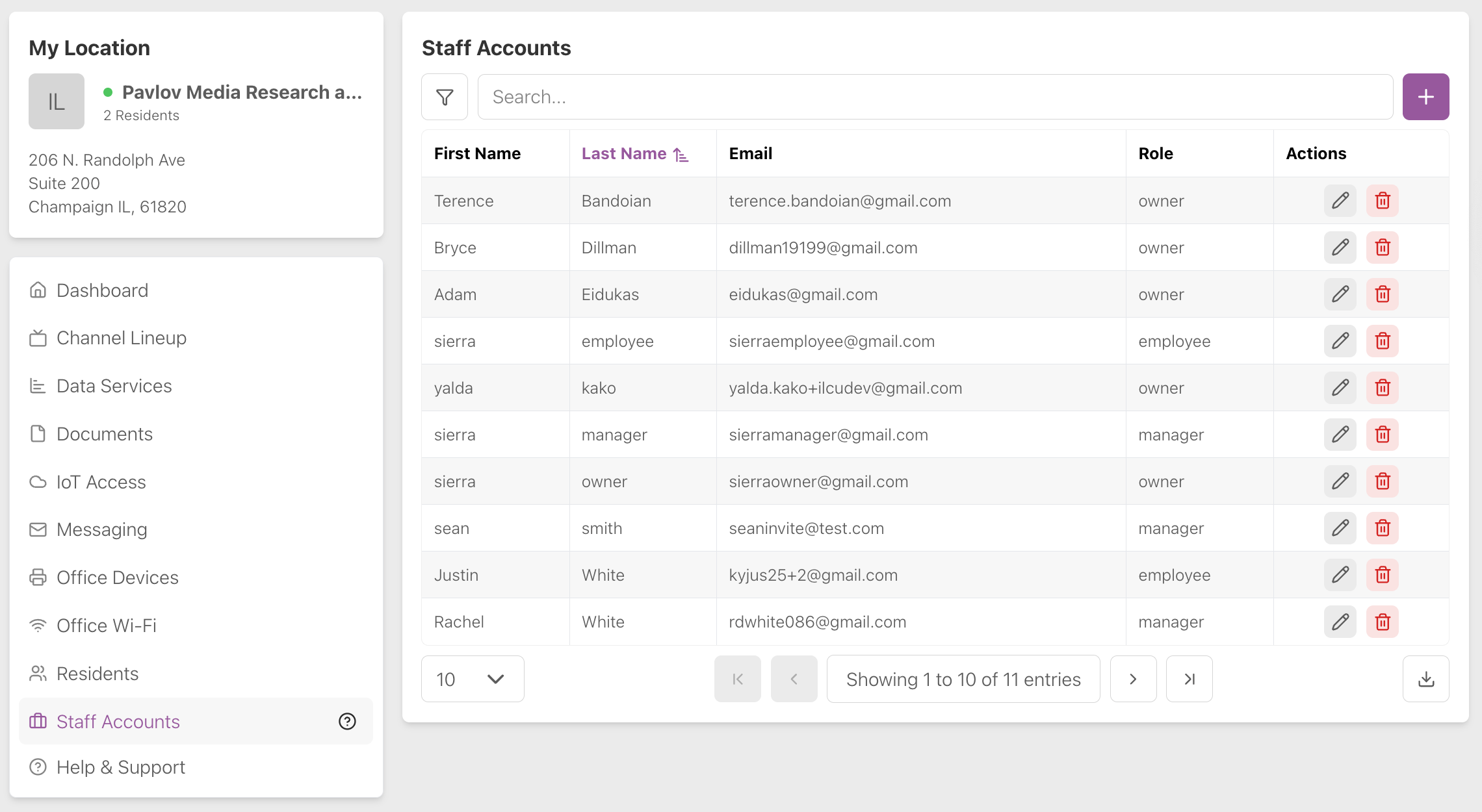
Staff Accounts: Owner
The owner of a property can view the info of other staff members and add employees, managers or owners.
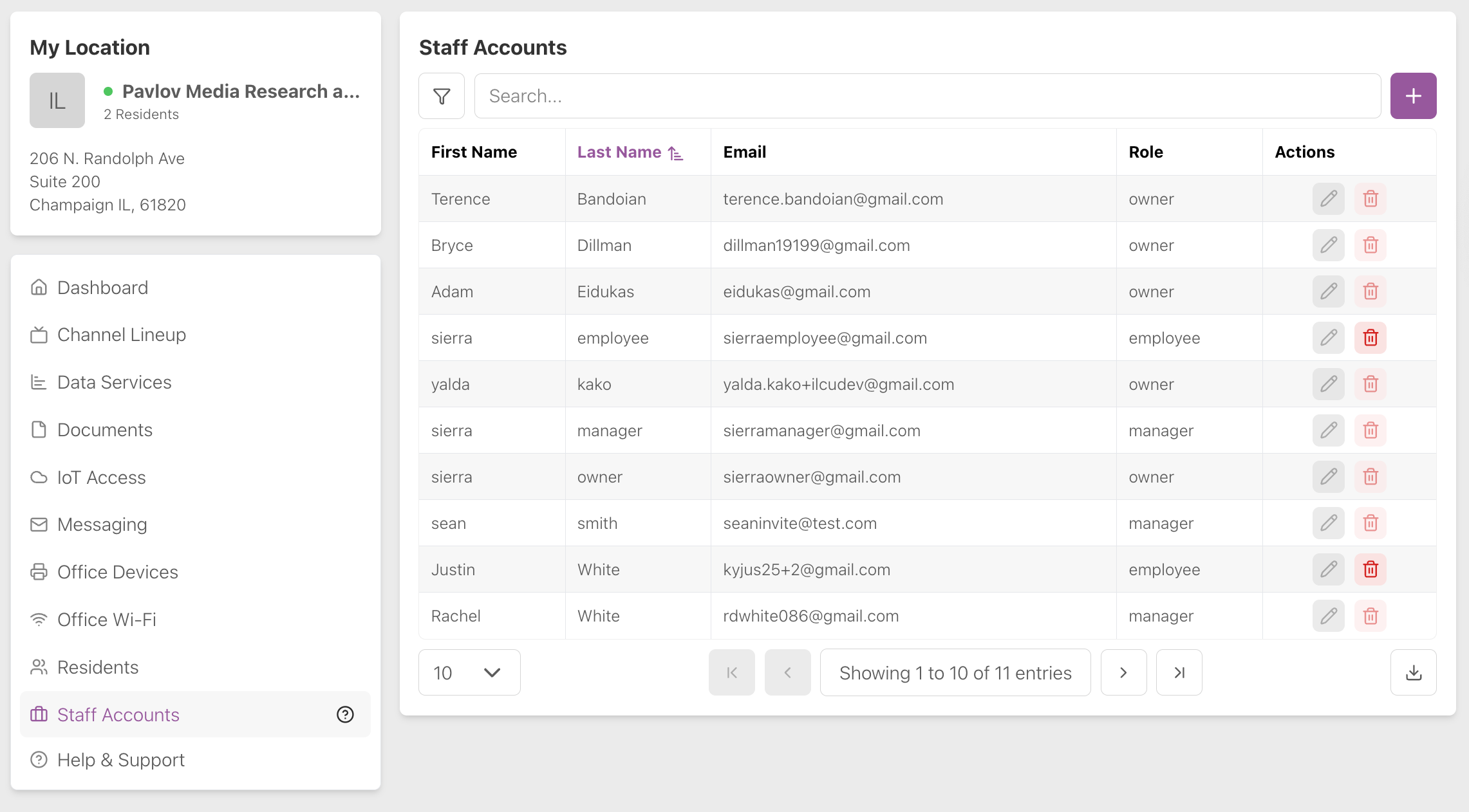
Staff Accounts: Manager
The manager of a property can view the info of other staff members and add employees.
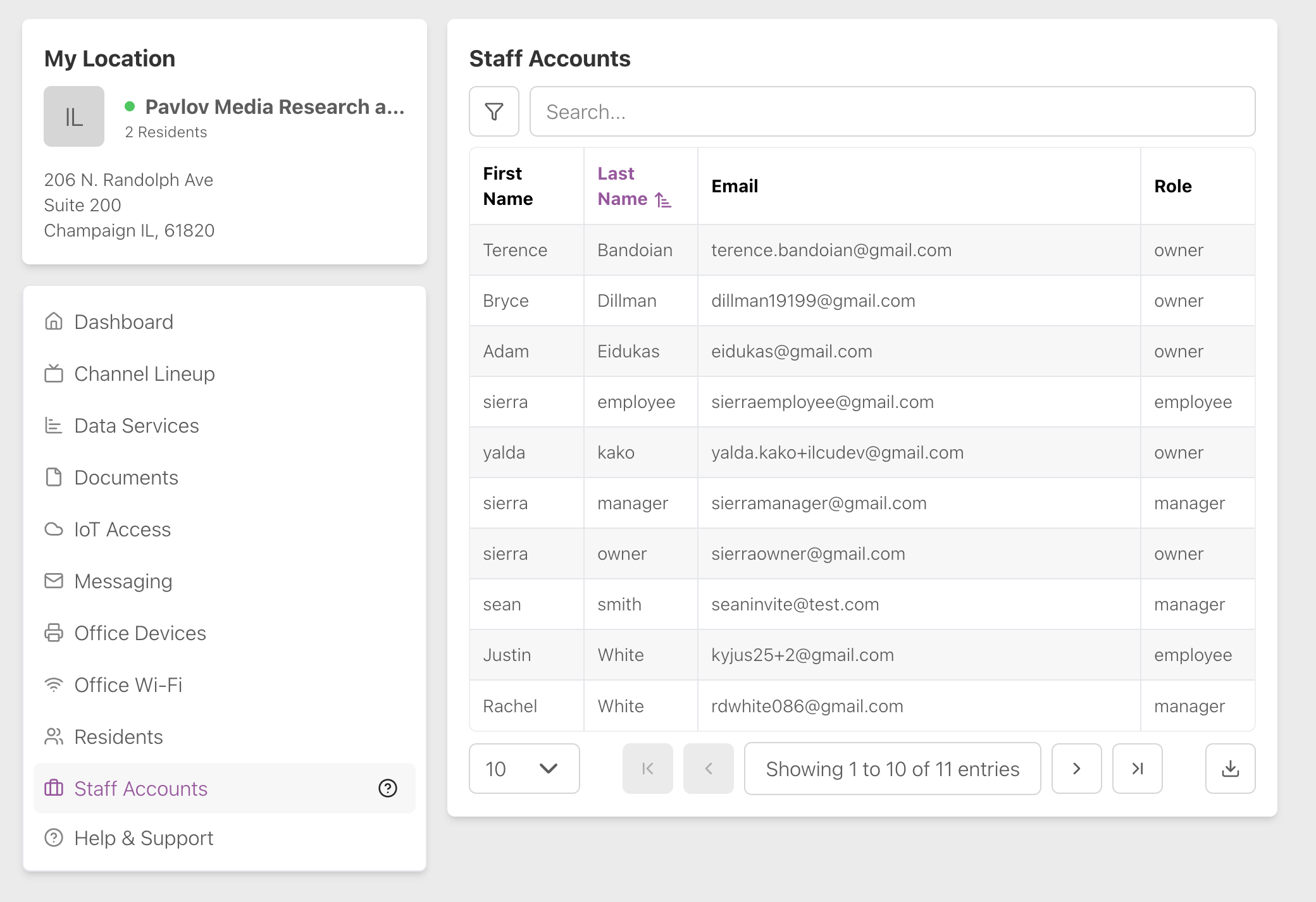
Staff Accounts: Employee
An employee of a property can view the first name, last name, email and role of other staff members.
For more information, see Staff Accounts.
Ticket Counts
Ticket counts shows the number of support tickets opened today, closed today, and currently open. All staff members can view ticket counts.